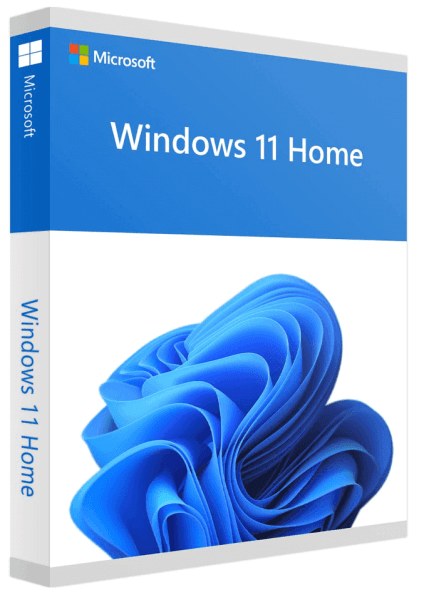
Om Microsoft Windows 11 Home
Windows 11 Home Future-proof thanks to performance improvements and clever further developments Windows 11 is more powerful and secure compared to its predecessor Windows 10 Windows 11 Home features UI improvements, including a new Start menu that looks more like an application launcher, more rounded corners, a snap button (and snap group) that lets you pin windows to specific locations on the screen, new ones Widget windows and system tray icons and new Windows settings. Windows 11 offers cloud management that lets you work from anywhere. New design with a central start button With Windows 11 Home, Microsoft does without the tiles and places the start button in the middle of the taskbar. This was previously far to the left, the quick launch bar is now reminiscent of Apple's macOS. Overall, the look of the new operating system has become more straightforward and fresher. Thanks to the connection to the cloud and Microsoft 365, users have direct access to the most recently used files via the start menu - even if they were previously opened on an Android or iOS device. Microsoft is also introducing new sounds, symbols and backgrounds. New gaming focus in Windows 11 Not only work, but gaming also plays a special role in Windows 11 Home. The new operating system activates the full potential of the computer. For example, “DirectX 12 Ultimate” ensures immersive graphics with high frame rates at the same time, and “Auto HDR” provides a broader, more lively color spectrum. “DirectStorage”, on the other hand, offers faster loading times and more detailed game worlds. Windows 11 also supports popular PC gaming accessories and peripherals. Users who have an Xbox Game Pass for PC or Ultimate have access to more than 100 games, which Microsoft is constantly adding to new titles. Android apps on Windows 11 Another highlight of Microsoft Windows 11 Home is the integration of Android apps. For the first time, the company opens the Microsoft Store and offers selected Android apps for Windows there. The voice control has also been optimized. Windows 11 recognizes what users say even better than before and is even able to automatically set punctuation marks when dictating. System requirements: Processor: 1 gigahertz (GHz) or faster with 2 or more cores on a compatible 64-bit processor or SoC (System on a Chip) RAM: 4 GB RAM Hard disk space: 64 GB or larger Graphics card: DirectX 12 or higher with WDDM 2.0 driver Display: High-resolution screen (720p) with a diagonal of more than 9 inches and 8 bits per color channel TPM: Trusted Platform Module (TPM) Version 2.0 System firmware: UEFI, enabled for safe start Included in delivery by E-mail: Product Key for 1PC Download in 32/64 Bit
- Kategori:
- Windows Operating System > Windows 11
Prisutvikling
Prishistorikk bygges opp etter hvert som vi følger prisen.
Ofte stilte spørsmål
Hvor mye cashback får jeg på Microsoft Windows 11 Home?
Du får 14 % cashback hos Softwarekönig når du starter kjøpet via Sparebørsen. Cashbacken kommer på toppen av prisen du uansett betaler, og utbetales til bankkonto når kjøpet er godkjent.
Er Microsoft Windows 11 Home på lager hos Softwarekönig?
Ja, Microsoft Windows 11 Home er på lager hos Softwarekönig nå. Lagerstatus kan endre seg — du ser alltid oppdatert status hos Softwarekönig når du klikker deg videre.
Hvordan får jeg cashback når jeg kjøper Microsoft Windows 11 Home?
Logg inn på Sparebørsen og klikk deg videre til Softwarekönig fra denne siden. Handle som vanlig og fullfør kjøpet — cashbacken registreres automatisk og dukker opp på saldoen din når Softwarekönig har bekreftet ordren.